Every service inquiry lands in its own queue, matched to the customer.
Boat dealer service department software that starts with the request queue. Requests from your site and forwarded email arrive in their own queue, already matched to the customer, ready to accept, decline or hand to sales or parts.
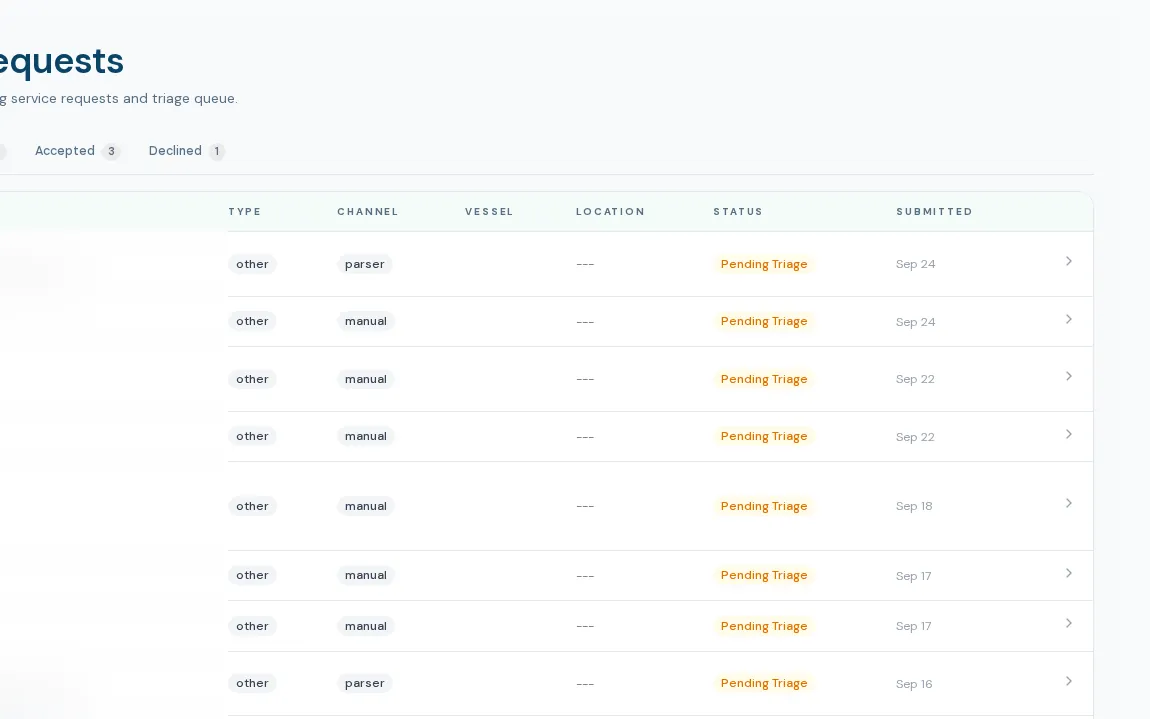
Intake, triage and hand-off in one place
This page covers the intake side of boat dealer service department software: the queue, not repair orders. Service requests come in through a website form, an email-parser feed, or a hand-off from a lead or a parts request. Each is matched to an existing customer by email and phone when possible, spam is filtered before it reaches staff, and the right people are notified with a link, not the customer's details.
- Tabs for All, Pending, Accepted and Declined, with counts that match the rows
- Triage actions: Accept, Redirect, Needs Info, Decline with reason, Reset
- Customer and boat matching, with links to their records
- Send to Parts or Send to Sales in one confirmed step, with both records linked
- Staff notes threaded on the request
- Recipients editable by an admin, with a fallback to admins and the general manager
How a request moves
- 01
It arrives
A public form or email feed creates the request. Spam is dropped, fields are checked, and a customer match is attempted by email, then phone.
- 02
Service is notified
Configured recipients get an email and an in-app alert with a deep link.
- 03
Someone triages it
Accept, redirect, ask for more information or decline. The page records who triaged it and when.
- 04
Or it moves on
A request that is really a sales inquiry becomes a lead. One that needs a part becomes a parts request. Both keep a link back.
What it doesn't do yet
No convert-to-work-order button
Accepting a request does not create a work order. Staff open the work order separately.
Only one public page creates a request
On the first dealership's site, the boat detailing page uses the service request form. The other service pages send an appointment lead into the sales pipeline instead.
The list has no search or bulk actions
You can filter by tab, but there is no search box, sort or export on the queue yet.
What dealers ask about this
No. It is intake and triage. There is no calendar booking of service slots.
No. Notification emails carry a name, type and link only, not contact data or the message.
The service request queue itself sends no texts. Staff text customers from the customer file on their own RingCentral line.