Tasks, calendar and team chat next to the customer they are about.
A boat dealership team workspace that sits next to the customer. My Workspace gives every staff member a task inbox, a merged calendar, notifications and internal team chat, all linked to the records you already work in.
The daily working surface
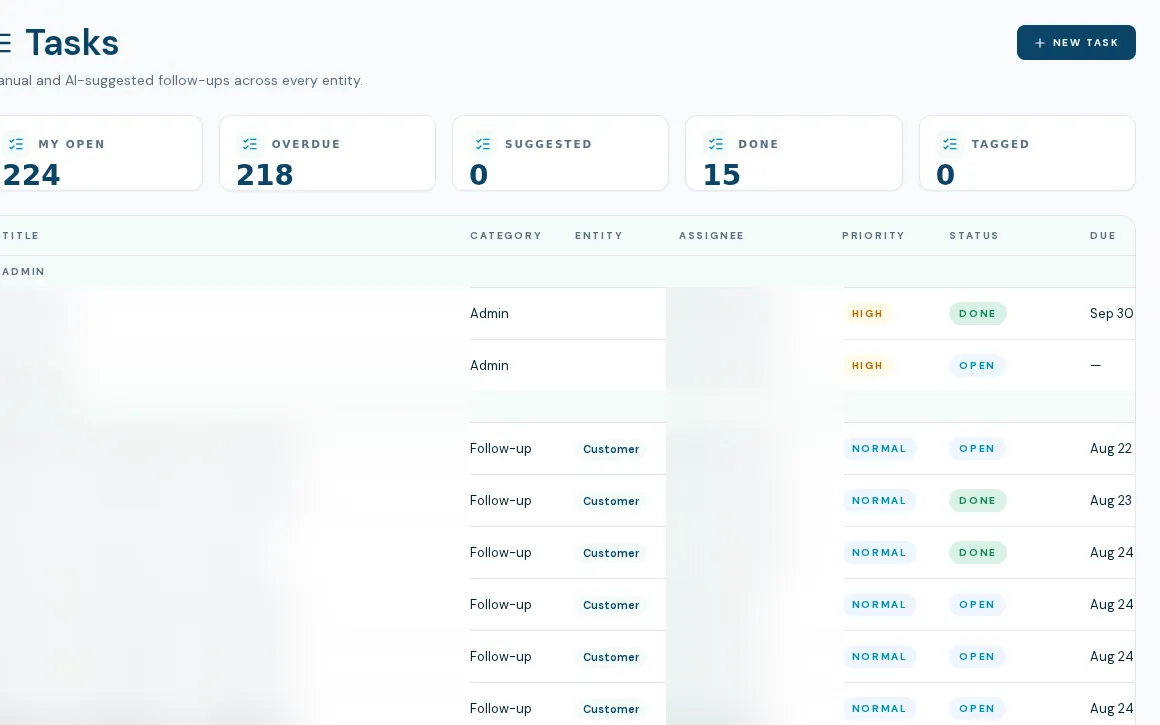
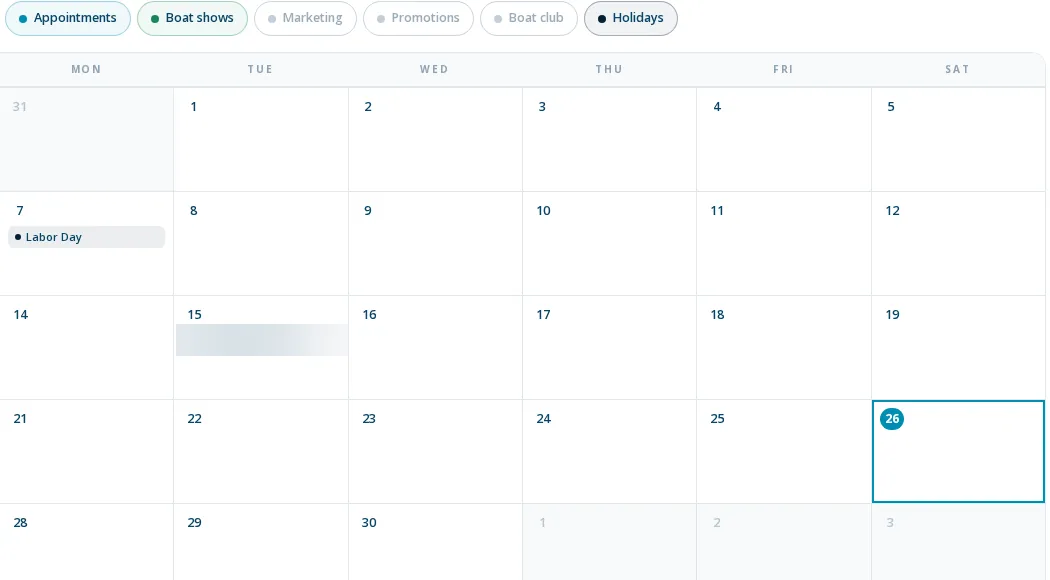
The boat dealership team workspace attaches tasks to the record they are about. Tasks attach to leads, deals, customers, boats and other records, so a follow-up sits on the thing it is about. The calendar merges your Outlook events with boat shows, promotions and holidays. Team chat is an internal messenger for staff with channels and direct messages. Notifications tie it together.
- Task inbox with filters, priorities, due dates, categories and assignees
- Tasks on records: leads, deals, customers, boats and more
- Merged calendar of Outlook plus shows, promotions and holidays, with new events written to your Outlook
- Team chat with four starter channels, direct messages, mentions, unread counts, presence and a live floor report
- Notifications with per-category push and email settings
- Suggested tasks from email and chat, held for review below a confidence threshold
How a day runs
- 01
Open the task inbox
Reps see their own tasks; managers see the team's. Filter to overdue, suggested or tagged.
- 02
Work from the record
Create a task on a customer, deal or boat and it also shows on that record.
- 03
Coordinate in chat
Use channels or DMs. Type /report floor for a live count of units on lot, deposits, open ROs, waiting-on-parts and deals awaiting F&I.
- 04
Get alerted
Mentions and assignments notify you in the app, with push or email if you enable them.
What it doesn't do yet
No due-date reminders
Due dates sort tasks and drive the overdue count. Nothing alerts anyone that a task is due.
AI task detection is unproven
It is built and reads email and chat, but no AI task has ever been created in production. We do not claim it works.
Chat is basic
No file attachments, message edits or deletes, and the formatting toolbar is disabled. Only one report command exists, floor.
Calendar invites are newly fixed
Sending Outlook invites from the calendar was fixed recently and has not yet been proven with a live send.
What dealers ask about this
Yes. Internal staff chat is live with channels, DMs, mentions, presence and unread counts. It is staff-only and lacks attachments and message editing.
For everyday internal talk in a dealership, it can. For file sharing, integrations or customer-facing threads, it is not a replacement.
Yes for Microsoft 365. New events are created on the signed-in user's own calendar. Google Workspace calendars are not supported.