Trade values set by a manager, with the research attached.
Boat trade-in appraisal software with a manager's decision at the end. Collect the customer's photos and specs, run the market research, have a manager set the value, and the approved trade lands on the deal.
From photos to an approved number to the deal
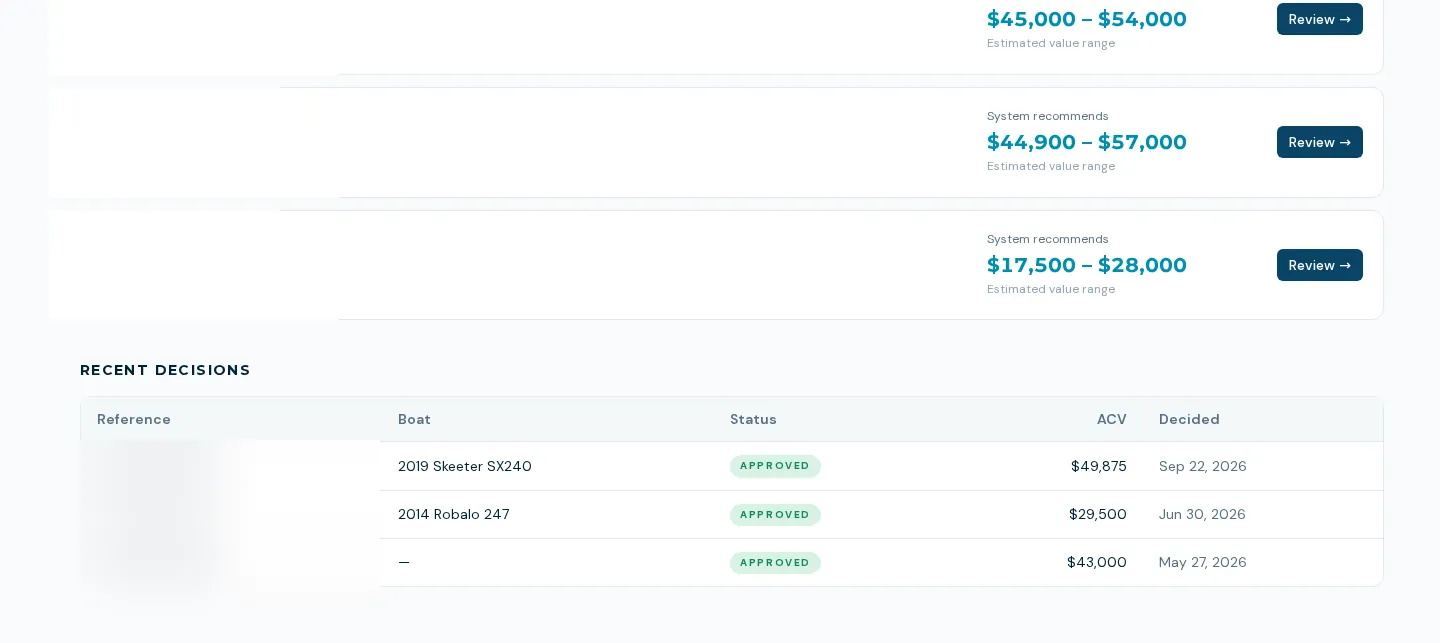
Boat trade-in appraisal software should shorten the research, not replace the person who sets the number. An appraisal starts from a five-step wizard or from a customer's private upload link. The AI researches guide values and comparable listings and drafts a suggested offer, and a manager sets the actual value and disposition. Once approved, the trade is attached to the deal and the hull is created or matched in inventory.
- Wizard with deal, customer, boat, specs and photos, saved as you go, with a TRD reference number
- Customer upload page by private link, with no login
- AI market research with guide values and comparables, shown with a data-quality panel
- Manager approval queue: set the value, the disposition (retail or wholesale) and a private note to the salesperson
- On approval the trade value goes onto the deal, the hull is created or matched, and the customer is recorded as its owner
- At closing the dealership takes ownership of the traded hull
How an appraisal flows
- 01
Start it
A rep starts an appraisal from a deal, or a customer submits the value-my-trade form and uploads photos from their phone.
- 02
Research runs
The AI gathers guide values and comparable listings and suggests an offer.
- 03
A manager decides
The manager sees the suggestion, the photos and notes, and enters the value, disposition and any note. They can also decline.
- 04
The deal picks it up
The approved value and hull attach to the deal, with warnings if an approved trade never reached it.
What trade-ins do not do yet
Not an instant trade value
The customer gets a report after a manager approves a value. There is no instant online quote.
The AI suggestion is a starting point
The suggested offer comes from a fixed formula applied to guide or comparable values. The manager's value is the one that counts.
The customer link is sent by the rep
The rep copies the upload link to the customer; an automatic system email of the link is not confirmed.
Not in global search
Trade-ins are not found by the global search bar; use the trade-ins list.
What dealers ask about this
No. The customer sees a report only after a manager approves a value, and the manager's note to the salesperson is never shown to them.
From web research against guide values and active comparable listings. Where no active listings are found, the screen says so instead of inventing a comparable.
It is created or matched as a hull by HIN, attached to the deal, and the dealership becomes its owner when the deal closes.