Manufacturer survey scores where your team can actually use them.
Marine manufacturer CSI tracking that your team can use. Import your manufacturer's CSI results and see them by model, salesperson and score band, tied to the customer and boat they came from.
Survey results out of the spreadsheet
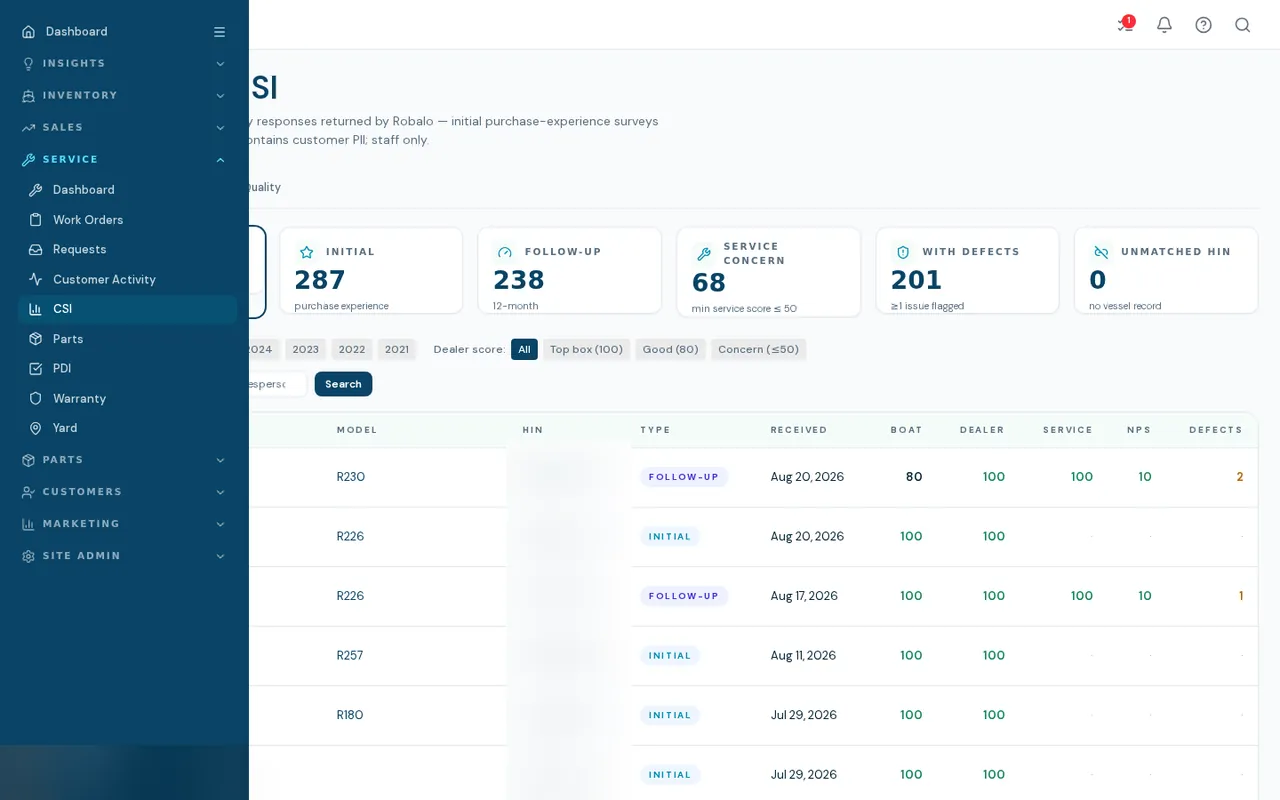
Marine manufacturer CSI tracking starts with loading the manufacturer's exports. CSI results arrive as manufacturer exports. BoaterOS loads them, matches each response to a hull by HIN, and lets managers filter by year, score band, model and salesperson, or open a single survey with every rating, reported issue and comment.
- KPI cards for responses, initial, follow-up, service concern, defects and unmatched HIN
- Filters by survey year, dealer score band, model and salesperson, plus text search
- Table with boat, dealer and service scores and a 0-10 NPS with promoter and detractor colors
- Response detail with rating groups, reported defects and customer comments
- Data Quality tab flagging HINs that do not match a boat, model disagreements and owner disagreements
- Card counts always equal the rows they reveal
How it works
- 01
Import the manufacturer export
An operator loads the workbook. It updates records rather than duplicating them.
- 02
Match to your boats
Each response is matched by HIN. The Data Quality tab lists the ones that are not.
- 03
Review and filter
Managers slice by model or salesperson and open low scores first.
- 04
See it on the customer
A CSI panel on the customer file shows their survey next to their deals and service.
What it doesn't do yet
Import only, not a live feed
Results are point in time, from the last manual import. There is no connection to a manufacturer's portal.
Built for one manufacturer's layout
The importer was written for one manufacturer's workbook format. Other brands need their own importer.
No export or trend charts
You cannot export results or chart scores over time yet.
Personal data is visible
The page shows customer names and email, so it is limited to service roles and sales associates.
What dealers ask about this
No. This displays manufacturer surveys. It does not run surveys.
Only where an importer exists. Ask which manufacturers are covered before you count on it.
Service roles and sales associates, per your access settings.