One deal file from first demo to delivery.
Boat dealership deal management on one file. Stages, money, trade, documents and every email, text and call live on the deal, so nobody rebuilds the story from a folder and an inbox.
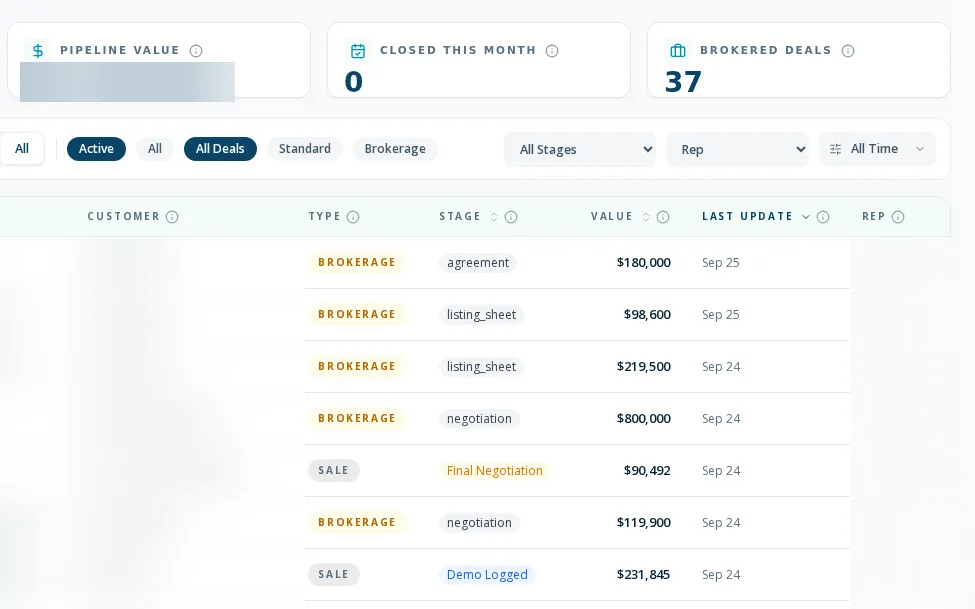
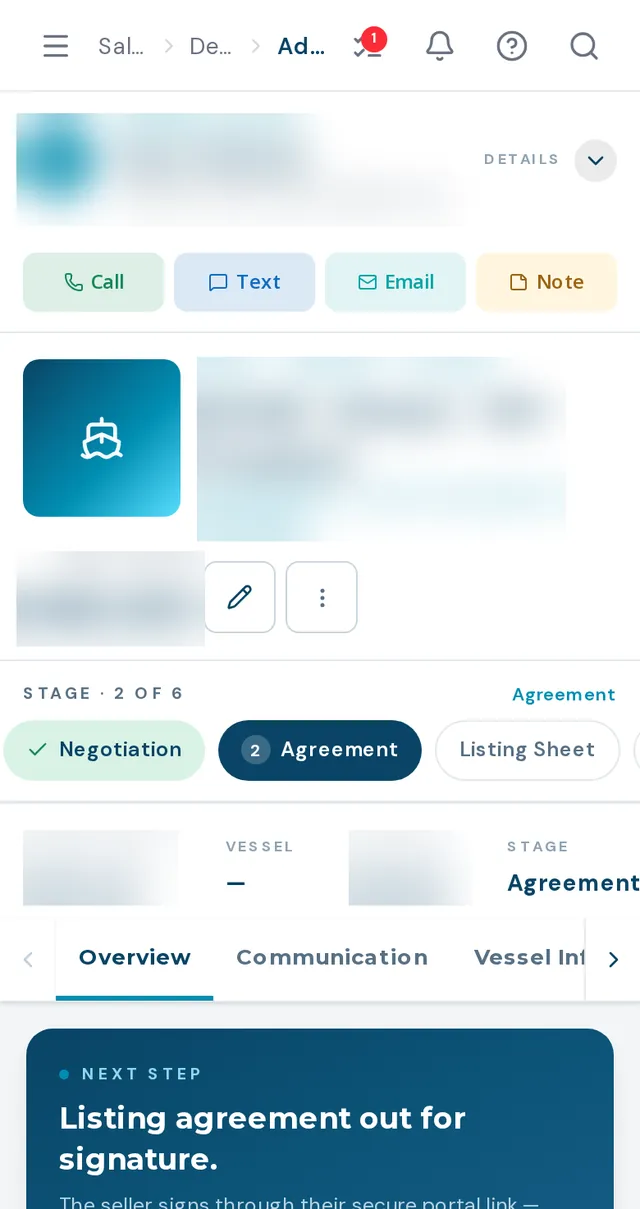
The pipeline, and the file behind each card
Boat dealership deal management works best when the deal is one record instead of a folder and an inbox. Reps see their own deals; managers see the team. Move a deal through Working, Demo Logged, Final Negotiation, Signed Agreement, Delivery and Won. The later stages are manager-gated, and a won deal locks against edits. Each deal holds the boats, the trade, the money, the paperwork and the conversation.
- List and kanban views, with KPI cards that use the same rule as the list below them
- Manager-gated stages, a required signing date at Signed Agreement, and a required reason for a lost deal
- Recording the contract signing date turns the buyer into a customer automatically
- Deposit capture that notifies the people you choose
- Trade banner showing whether a trade is noted, being appraised or approved, with a link to the appraisal
- Documents, an email composer from the rep's mailbox, and an AI progress check-in draft grounded in the deal's history
How a deal runs
- 01
Convert a lead or start a deal
The new-deal wizard takes the customer, boat, optional trade and details, and creates the deal linked to its originating lead.
- 02
Work it through the stages
Drag on the board or click the stage stepper. The server enforces manager-gated stages and required dates, so the rules hold on a phone too.
- 03
Build the numbers and paperwork
Use the retail worksheet, attach the trade, upload documents and capture the deposit.
- 04
Close it out
Mark Won as a manager, which records the buyer as owner and marks the listing sold, then work the closeout checklist.
What deals do not do yet
Purchase agreements are uploaded, not e-signed
E-signature covers the brokerage document types only. A standard purchase agreement is uploaded to the deal.
No payments and no exports
Deposits are recorded, not charged. There is no CSV or PDF export of the pipeline or analytics.
The board shows standard stages only
Brokerage deals do not appear on the kanban board; find them in the list or on the Sales Manager pipeline.
Activity log entries need a save
A note added to the activity log is kept only after the deal itself is saved afterward, otherwise it is lost on refresh.
What dealers ask about this
Managers and admins only, enforced on the server. Reps can move deals through the earlier stages.
Won deals lock. Admins can still edit them, and money fields are admin-only throughout.
It replaces the sales-side pipeline and deal file. Service invoicing, parts point of sale and accounting are not part of it. BoaterOS is the boat dealer management system for the front of the store: website, leads, CRM, marketing, inventory, deals, brokerage and service requests on one record. Your accounting system stays where it is, with accounting integration on the roadmap.