Every inquiry in one list, and a file behind every name.
This is the CRM for boat and marine dealerships. Reps work their own leads; managers see the whole floor. Open any lead and the calls, texts, emails, website visits and notes are already there, so nobody starts from a blank page.
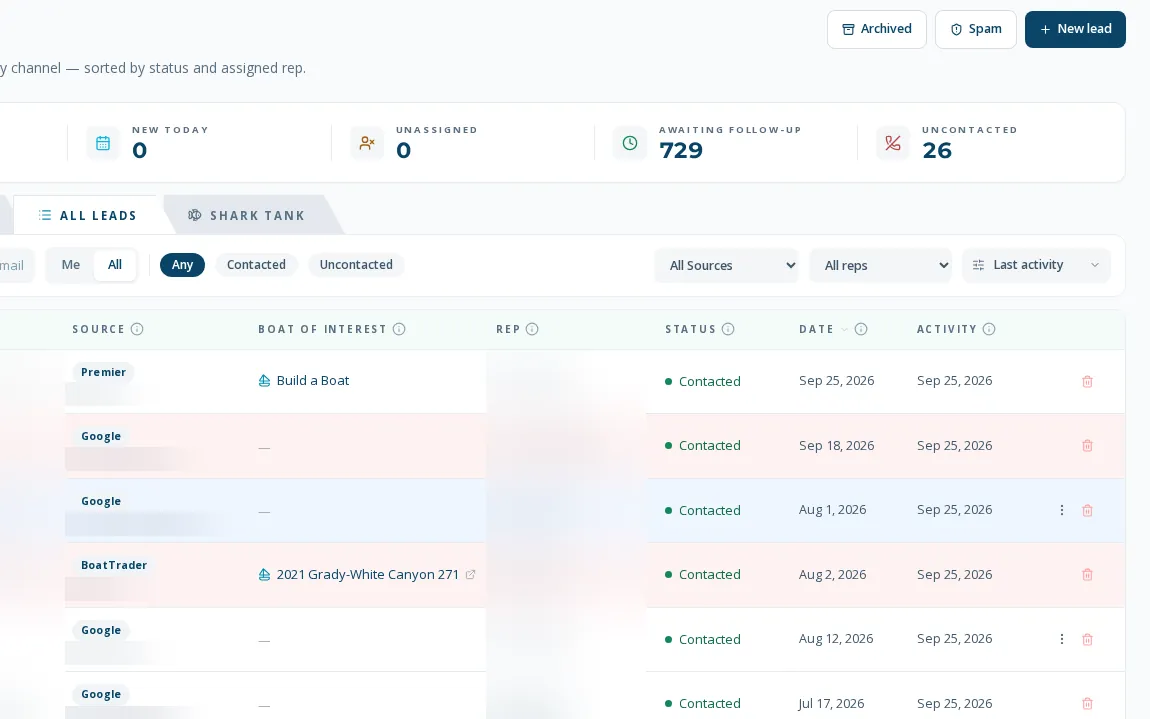
A worklist that matches how a sales floor actually works
As a CRM for boat and marine dealerships, BoaterOS keeps the lead, the customer and the boat on one record. Leads arrive from forms, chat, calls, texts, listing portals and manufacturers, then land in one worklist. A rep sees only their own leads; a manager or admin sees everyone. Each lead has a file with the contact, the boat they asked about, where they came from, and every conversation, so a hand-off never costs the customer a repeat explanation.
- Clickable KPI cards (open, new today, unassigned, awaiting follow-up, uncontacted) where the number on the card always equals the rows it shows
- Search by name, email, phone or boat of interest; filter by source, rep and status
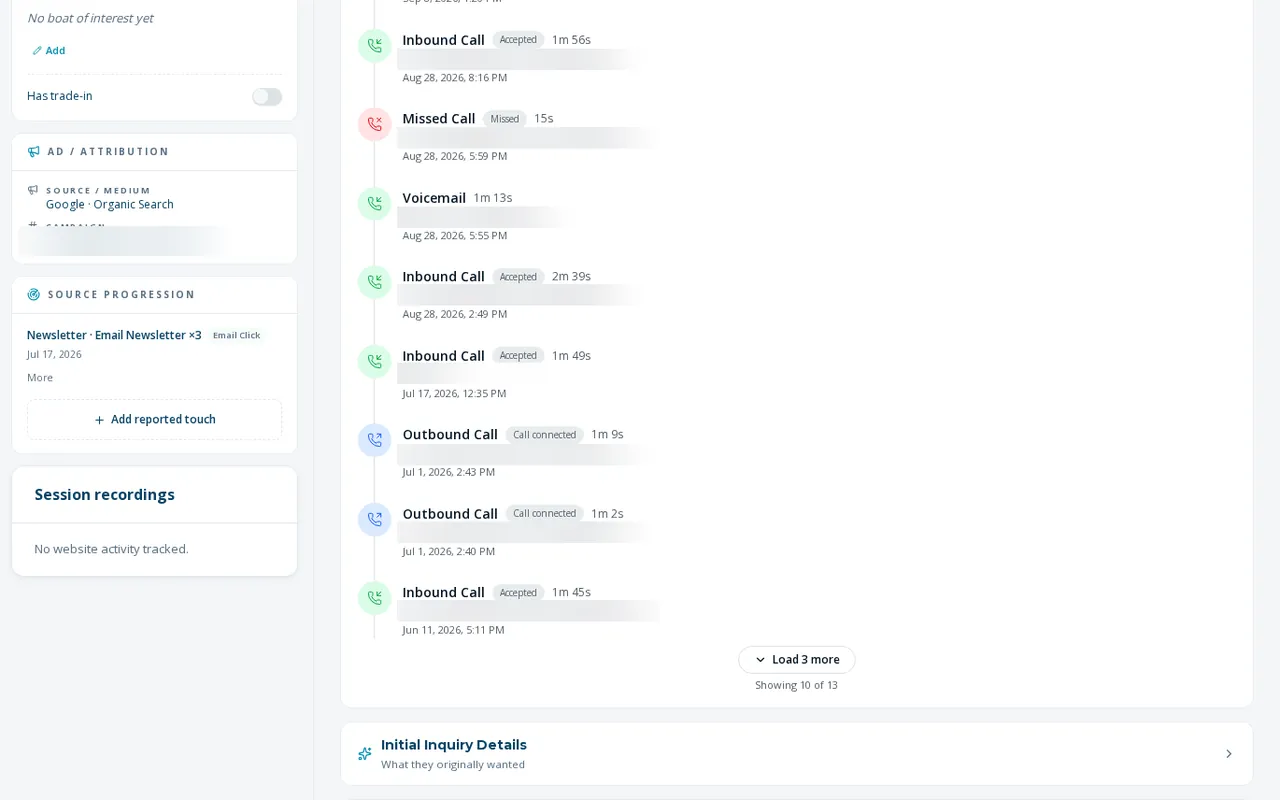
- Lead file with the calls, texts, emails, notes and website visits on one timeline
- Send email as the rep from their own mailbox, or generate an AI draft from the lead's file and edit it before sending
- Hand a non-sales inquiry to Service or Parts, or convert it to a general contact, without retyping it
- Mark spam once and future leads from that phone or email are archived automatically
How a lead moves through the list
- 01
It arrives already labeled
Every channel writes into the same list and is checked against existing leads and customers, so a repeat inquiry attaches to the person instead of creating a duplicate.
- 02
A manager assigns it, or the rep claims it
Assignment is by hand by default. The rep gets an email and an in-app alert when a lead is assigned to them.
- 03
The rep works it from the lead file
Call, text, email or note from the same screen. Calls, texts and email sent from the rep's own lines and mailbox are logged on the file without anyone remembering to log them.
- 04
It ends as a deal, a hand-off or an archive
Convert to a deal when the buyer is real, send it to Service or Parts if that is what they wanted, or archive it. Every status and assignment change is recorded with who made it.
increase in leads arriving with a known source. Organic search turned out to be the #1 lead channel.
faster first response to new leads, depending on the baseline.
What leads does not do yet
Assignment is manual by default
New leads arrive unassigned unless they came through a rep's card page, a rep-forwarded email or a promo form with a set owner. Automatic after-hours assignment exists but ships switched off. See lead routing.
Bulk actions are desktop only
The phone layout has the list and the lead file, but selecting many leads to assign, archive or email is a desktop task.
Qualified Leads and Shark Tank are not built
Both tabs are visible as coming-soon panels. Neither runs a query today.
No un-spam control
Marking a lead as spam is one-way in the interface today.
What dealers ask about this
No. A rep is limited to their own leads on the server, not just hidden in the screen. Managers and admins can see the whole list and filter by rep.
Web, phone, text, portal and manual entries are matched on email and phone. A repeat inquiry attaches to the existing lead and shows as a repeat, and a person entering a lead by hand gets a duplicate warning before they create a second one.
Calls and texts on their RingCentral line and email in their Microsoft 365 mailbox are captured on the file automatically. Both need to be connected for a rep first.